BlogUpdates
Teevy 1.2.1: code TVs, “Home button” mode and movie posters
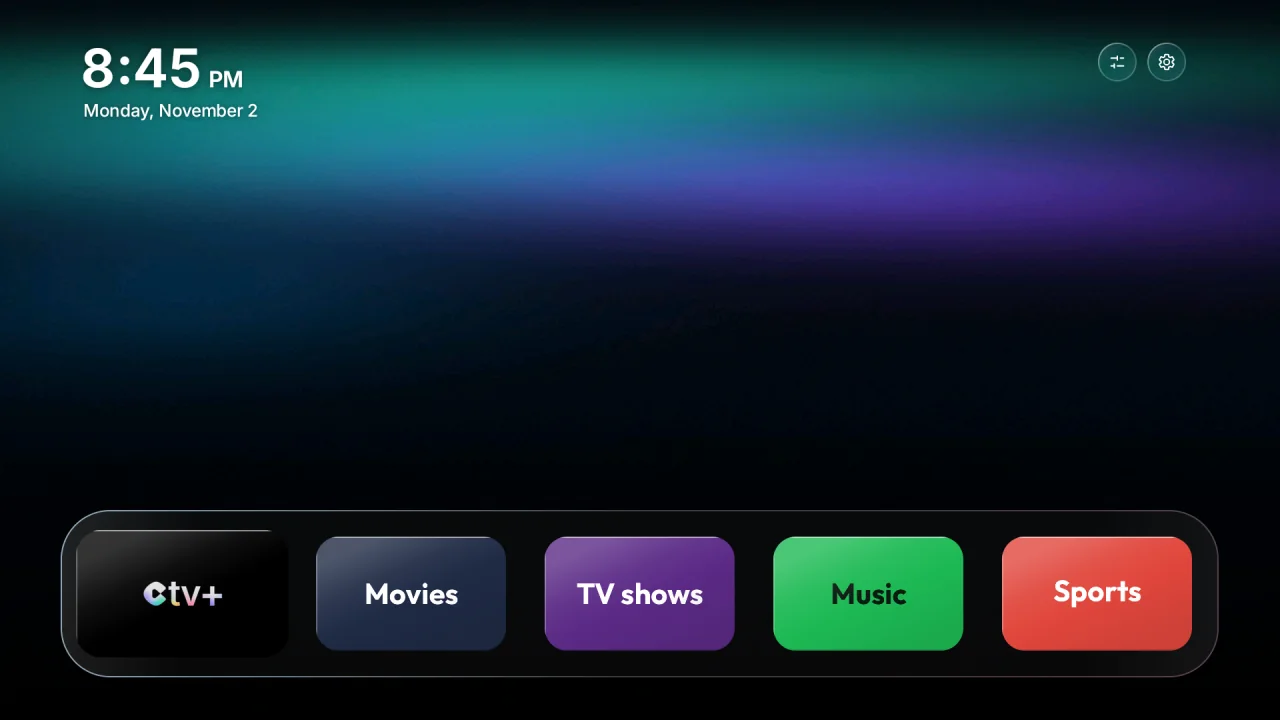
Teevy 1.2.1 is available on the App Store and Google Play. The big news: Teevy now works with TVs that require a 6-digit code, like the Chromecast with Google TV. Here’s everything that changes, in the app and on the TV.
- Version
- 1.2.1
- Available on
- App Store and Google Play
- Recognized TVs
- 407, up from 307 in 1.0
- Newly connected models
- 38 TVs with a pairing code
- Languages
- 29, now with Swedish
- Update
- From your phone’s store
TVs with a code, finally supported
Some recent TVs only accept a connection through “Wireless debugging”, with a 6-digit code shown on the screen. That’s the case for the Chromecast with Google TV, the Google TV Streamer and recent Philips, Sony and TCL TVs: 38 models on Teevy’s list.
Teevy can now connect to them. It guides you step by step to the code, then finds the TV again on its own.
“Home button” mode
Some TVs won’t let you change their home screen: a Wi-Fi network left over from the first setup, an assistant that’s still active, Cast on Google boxes, or a TV that puts its own home screen back in front.
When that happens, Teevy offers you “Home button” mode on its own: the original home screen stays in place, so do Cast and Wi-Fi, and the Home button on the remote opens the Teevy home screen.
The “Movies & shows” style
- Movie and show posters as your home screen background, in the TV’s language.
- Productions from your country come first, with the title logo.
- A new poster every 10 minutes, and the TV refreshes its selection every day, all on its own.
More control in the app
- “Choose apps myself”: turn off other apps when Teevy doesn’t know your TV (projectors, rare models), with safeguards so it never touches what keeps the TV running.
- Per-TV settings: 12-hour or 24-hour clock, °C or °F, Wi-Fi at the top of the home screen, Back button that opens the clock.
- “Update the TV”: My TV lets you know when the app has something new for the TV and sends it in one tap, without touching your choices.
- A more complete My TV: “Restore the original home screen” and “Set up the Teevy home screen”, “Forget this TV” in plain sight, “Done, check again” after the Wi-Fi step, and an alert when the original home screen comes back after a TV update or restart.
- Remote everywhere: from the app’s home screen, My TV and the final screen, even with the demo TV.
- Guide for non-Android TVs (Samsung, LG, Roku, Vizio, Hisense VIDAA, Fire TV): the settings to change yourself to turn off ads and tracking, step by step.
- Clear from the start: “Android TV and Google TV only” is written right on the home screen and in search.
- Your TV’s brand logo on its card.
- On Google boxes, an option to give up Cast, with double confirmation.
- Swedish is here: 29 languages instead of 28.
On the TV home screen
- New clock (Back button): the home screen background blurred, the time in the center in the same font, plus the date and the weather.
- Hold OK on an app’s tile to change its icon, move it or remove it.
- The Netflix, Prime Video and YouTube buttons on TCL remotes work again.
- The Home button always brings Teevy back, even from inside an app, on TVs that used to reopen the old home screen (Philips).
- Smoother when you go down below the dock, and Cast stays ready longer on Android 14.
- Landscapes without captions, and backgrounds change right on schedule.
- Finishing touches: easier-to-read menus, highlight always in the right place even after a restart, more accurate icon colors, dock glow fixed, clean background behind the Android 14 home screen picker.
The 1.2.1 fixes
Teevy home screen wrongly refused
- An old Wi-Fi network from the first setup blocked everything, even when unused and invisible in the settings. Now only the network in use counts.
- The safety timer only started one time in five on some TVs (Xiaomi Mi Box S 3, TCL). It now starts every time.
Hotspot on Android
It only worked with an iPhone. It now finds the TV, and the steps are adapted to Android.
More reliable, more careful
- Much more reliable home screen switching: the TV is read again before acting, apps are turned off in the right order, up to 4 presses on Home, support for TV provider home screens, PatchWall (Xiaomi) and manufacturer services, and a full rollback if anything goes wrong.
- Home screen installation checked, with a clear message when it fails (storage space, Play Protect, another profile on the TV).
- No more half-configured TVs if the connection drops while the style is being sent, and your phone’s screen stays on while Teevy is working.
- Safeguards: TalkBack, the phone’s Google remote and Cast are never turned off by default, and the vital services of Android 14 and MediaTek chips are protected.
- Respect for what you’ve done: an app you turned back on by hand stays on, your own launcher is never touched, and an original home screen changed by a TV update is properly tracked.
- Warnings about the Settings button on Google TV and the buttons on TCL remotes.
- Special cases handled: Xiaomi for China, Sony Bravia VU3.
More TVs recognized
Teevy now knows 407 TVs with a tested list, up from 307 in 1.0, thanks to the CleanYourTV 3.3 lists. And on some Xiaomi, Sony, Hisense and OnePlus models, the Teevy home screen goes on without any Wi-Fi step at all.
Beyond the app
- New images on the App Store (31 languages) and Google Play.
- A single address to write to us, everywhere: contact@teevy.app.