BlogUpdates
Teevy 1.2.3: backgrounds on every TV, the Play Store always there, up to 5 photos
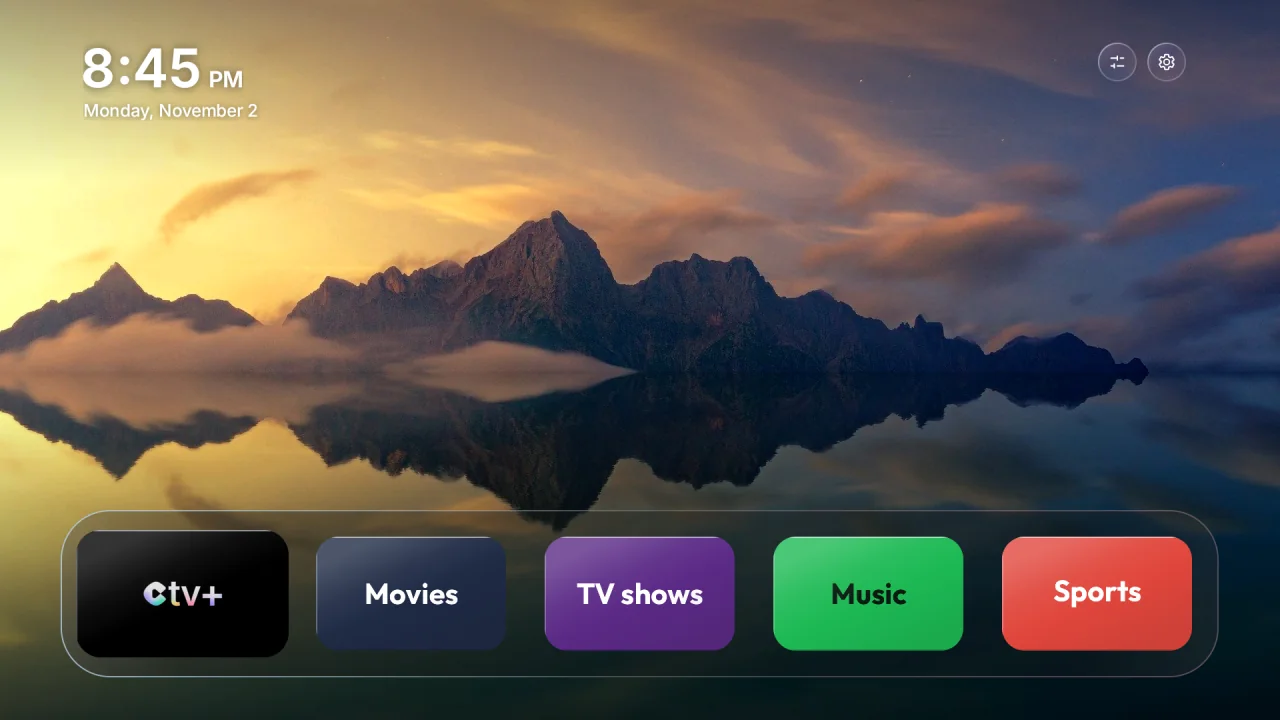
Teevy 1.2.3 is available on the App Store and Google Play. It fixes the last issues you reported to us, starting with the animated backgrounds and the Play Store, and adds features many of you asked for: several photos as the background, hidden apps and the Freebox Player POP.
- Version
- 1.2.3
- Available on
- App Store and Google Play
- TV home screen
- Version 1.26
- Languages
- 29
- Update
- From your phone’s store, then “Update the TV” in My TV
Landscapes and Movies & shows on every TV
- On some TVs running Android 14 (TCL, Philips, Google TV Streamer, CHiQ…), the home screen stayed black with the Landscapes or Movies & shows styles. Teevy now prepares the images in a way all these TVs accept: the backgrounds show up everywhere.
- At the end of the transfer, Teevy checks that the TV really kept the style’s images, and tells you if it didn’t.
The Play Store always within reach
- The Play Store always stays on the Teevy home screen, even on Google TVs that don’t show it as a regular app.
- New “Open the Play Store on the TV” button in My TV, to install an app in one move from your phone.
What’s new
- Up to 5 photos in the My photo style: they take turns on the home screen, a new one every 10 minutes. Add or remove a photo from the style’s screen.
- Hide an app without turning it off: My TV › Apps on the home screen. The app leaves the home screen, the dock and the library, but stays installed and keeps working. Settings and the Play Store always stay visible.
- Freebox Player POP: the Teevy home screen is now possible on it. The Free channels stay right there, at the front of the dock.
- The Teevy home screen also comes to the Sber Salute TV and the 2015 NVIDIA SHIELD.
Remotes
- The Netflix, Prime Video and YouTube buttons work with the Teevy home screen on more TCL TVs (Smart TV Pro, C755) and on some Hisense TVs.
- On Philips TVs that turn their original home screen back on at startup, My TV flags it and “Check after an update” puts it back to sleep. Home button mode is offered first there.
- Home button mode: a new option keeps it on after the TV goes into standby.
More reliable
- Connecting on Android: the TV search no longer blocks the connection on networks with 10.x addresses, and Teevy clearly tells you what’s preventing the connection when it doesn’t go through.
- On TCL TVs, TGuard is no longer turned off by default: it’s up to you.
- On the Teevy home screen, the Back button no longer opens the clock. It stays as the screensaver.
To get all of this on the TV, open Teevy after the update: My TV offers you “Update the TV”, in one tap, without touching your choices.
A problem, an idea?
Write to us at contact@teevy.app: most of these changes come from your messages.