BlogUpdates
Teevy 1.2.4: no more black screen, your USB drives protected, 30 more TVs
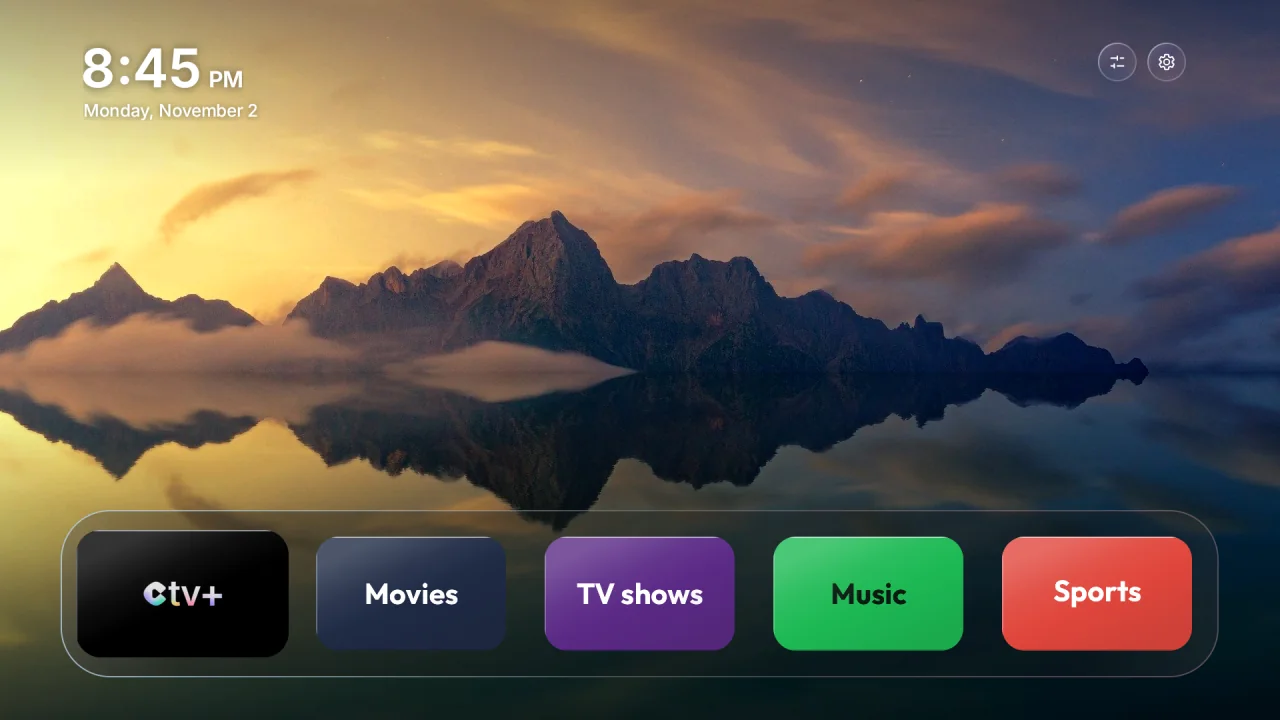
Teevy 1.2.4 is available on the App Store and Google Play. It fixes the last black-screen cases you reported to us, protects playback from your USB drives, makes the restore clearer and recognizes even more TVs.
- Version
- 1.2.4
- Available on
- App Store and Google Play
- TV home screen
- Version 1.27
- Recognized TVs
- 473 models, 129 brands
- Update
- From your phone’s store, then “Update the TV” in My TV
No more black screen
- On a few TVs, the home screen could still stay black with Landscapes or Movies & shows, while My photo displayed fine. Teevy now also sends a backup background with each collection: if the TV can’t play the scrolling images, it at least shows a beautiful still landscape.
- The check at the end of the transfer takes this into account: it only reports a problem if no image can be displayed.
Your USB drives protected
- On many TCL TVs, the cleanup list used to turn off TCL media center, the app that plays videos, photos and music from a USB drive. Teevy now asks you, before the optimization, whether you play USB drives on your TV. You choose to keep or turn it off, just like for Alexa.
- On TCL TVs, TCL media center also makes the remote’s Netflix and Prime Video buttons work: the question says so.
- USB players from other brands (Hisense, MediaTek, Realtek, Xiaomi, Skyworth…) follow the same rule.
“Put everything back” tells you everything
- After the restore, Teevy reads the TV again: every app turned back on must really be on, and the Home button must lead to the original home screen.
- If the TV didn’t take everything back, Teevy says so clearly and explains what to do, instead of announcing a success. Nothing is lost: you can run “Put everything back” again.
30 more models and 12 more brands
- Teevy now recognizes 473 models from 129 brands. Among the new ones: Sony BRAVIA 8 II, Philips 65PQT8169, TCL 55Q7D Pro, Toshiba 43V35KP, Panasonic ATV R2, Metz 43MUB8000, SAMPO OLED 55ZW8212.
- New brands: Chihi, Continental Edison, Durabrand, ENGY, Essentiel b, Indurama, Metz, Nonete, SAMPO, STRONG, Turbo-X and Vityas.
- Check whether your TV is supported with the simulator on the home page.
Remote and home screen
- Xiaomi volume: when the Teevy home screen reads the remote’s buttons, the volume goes up and down normally again, long press included.
- Channel buttons: on TVs without a live TV app, Channel + and Channel − no longer open an app by mistake from the Teevy home screen.
- Back from Settings: on MediaTek TVs, Back takes you to the Teevy home screen instead of a “Picture and sound” page.
- The Teevy home screen is lighter: it no longer keeps its old versions in memory every time a setting changes.
More reliable
- Connecting on Android: when your phone has several networks (Wi-Fi and mobile data), Teevy does a better job of using the TV’s one.
To get all of this on the TV, open Teevy after the update: My TV offers you “Update the TV”, in one tap, without touching your choices.
A problem, an idea?
Write to us at contact@teevy.app: most of these changes come from your messages.